Integrate Medium content with Astro
It’s nice to have a personal blog, but there are times when we need to make a post on a social network for different reasons. If you don’t want to duplicate your blog posts with a social network post, we can bring the content of the post and use our website as a main source of content, where we can even unite the different posts into a single collection of posts so we can apply filters later. Also, if we don’t want to occupy the project with many images in the local file system or have to pay for image hosting, or we simply don’t want to write in “plain” text with markdown. In this case, we will do it with Medium, as we can also do it in conjunction with devto, hashnode, a CMS, etc.
Table of Contents
· 1. Why Astro?
· 2. Starting a new project with the blog template
∘ We launched the application
· 3. We will use Astro’s Content Layer API to integrate Medium posts into our site
· 4. Use posts on your blog index page
· 5. Merge Astro and Medium posts into blog index page
· 6. Use Medium posts on the blog slug page (optional)
∘ Show Medium post content within Astro
· 7. Update new Medium post on static site with Deploy Hook
1. Why Astro?
Astro is the web framework for building content-oriented websites such as blogging, marketing, and e-commerce. Astro is known for pioneering a new frontend architecture called “Islands” to reduce JavaScript overhead and complexity compared to other frameworks. It is performance-optimized thanks to its “zero JavaScript by default” strategy, only the JS needed in the interactive parts is loaded, resulting in fast loading times and excellent SEO optimization. It is flexible with UI frameworks/libraries; it is agnostic, meaning you can integrate components from React, Vue, Svelte, combining the best of each. And lastly, its ease of use; its HTML-based syntax and simple file system make the learning curve very smooth, even if you come from a more traditional background.
2. Starting a new project with the blog template
This is in case you don’t have a site created, if you do, the implementation will not vary much with a project made with Astro.
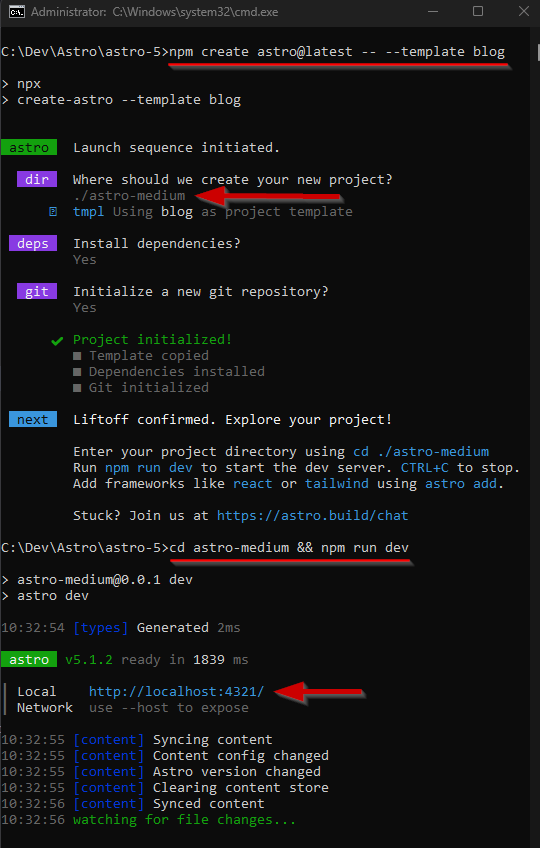
We are going to create a blog with the template offered by the official community.
npm create astro@latest - - template blog
We launched the application
cd [project_name] && npm run dev
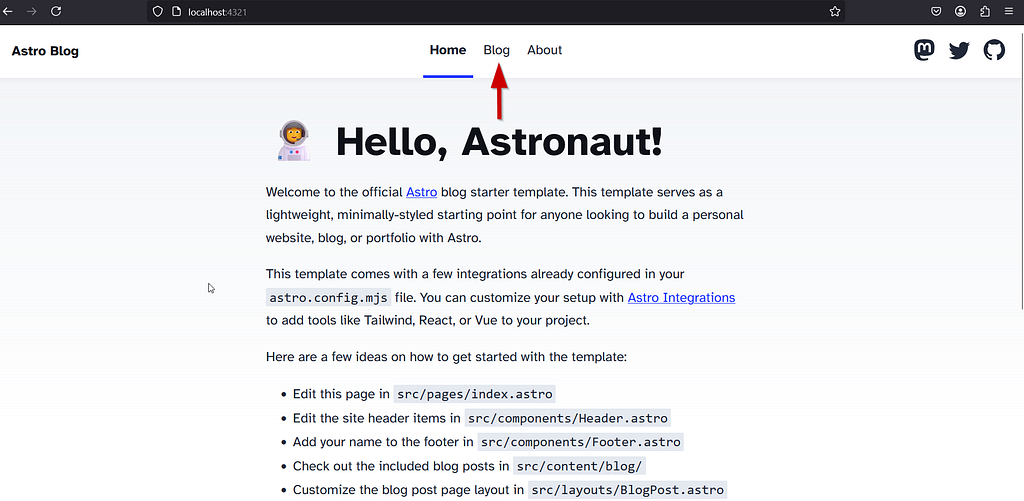
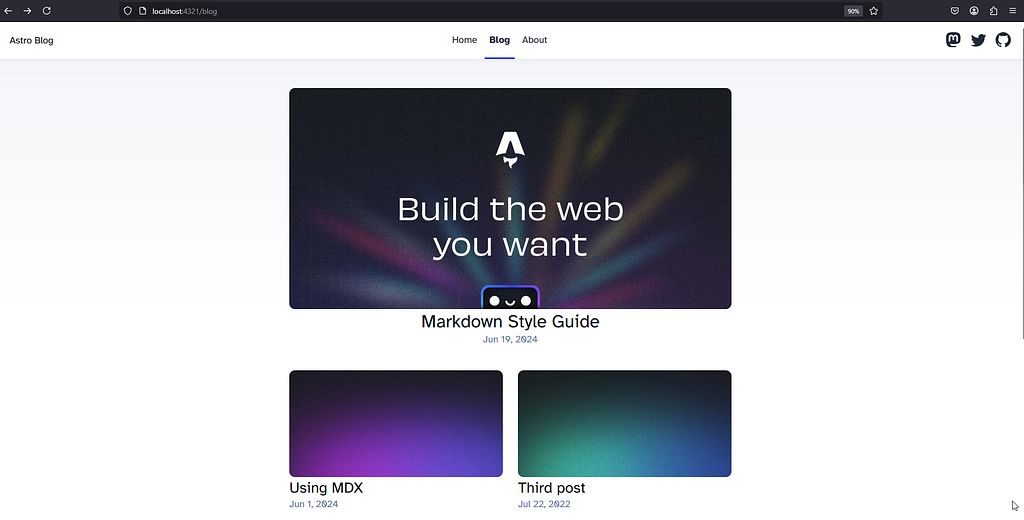
We now have a blog with some example posts created with md files.
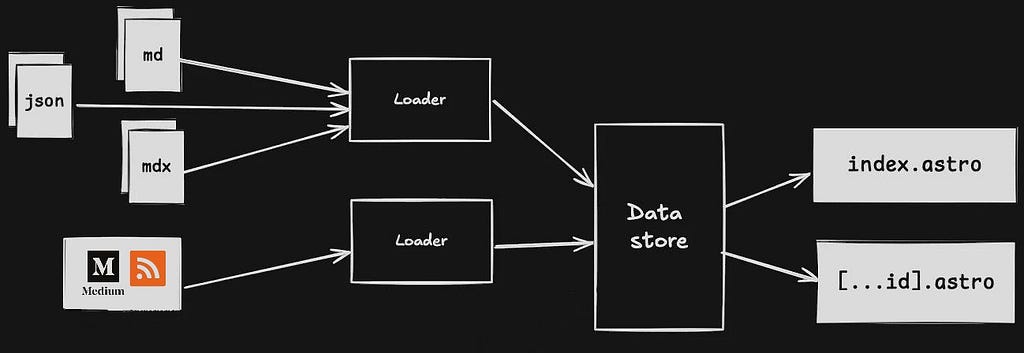
Starting with Astro 5, we introduced the Content Layer API, a tool that allows you to load data from any source during the construction of your site and access it using a simple, type-safe API.
This API offers flexibility to handle content from a variety of sources, such as local Markdown files, remote APIs, or content management systems (CMS). By defining “collections” of content with specific schemas, you can efficiently structure and validate your data. Additionally, the Content Layer API improves performance on content-intensive sites by speeding up build times and reducing memory usage.
3. We will use Astro’s Content Layer API to integrate Medium posts into our site
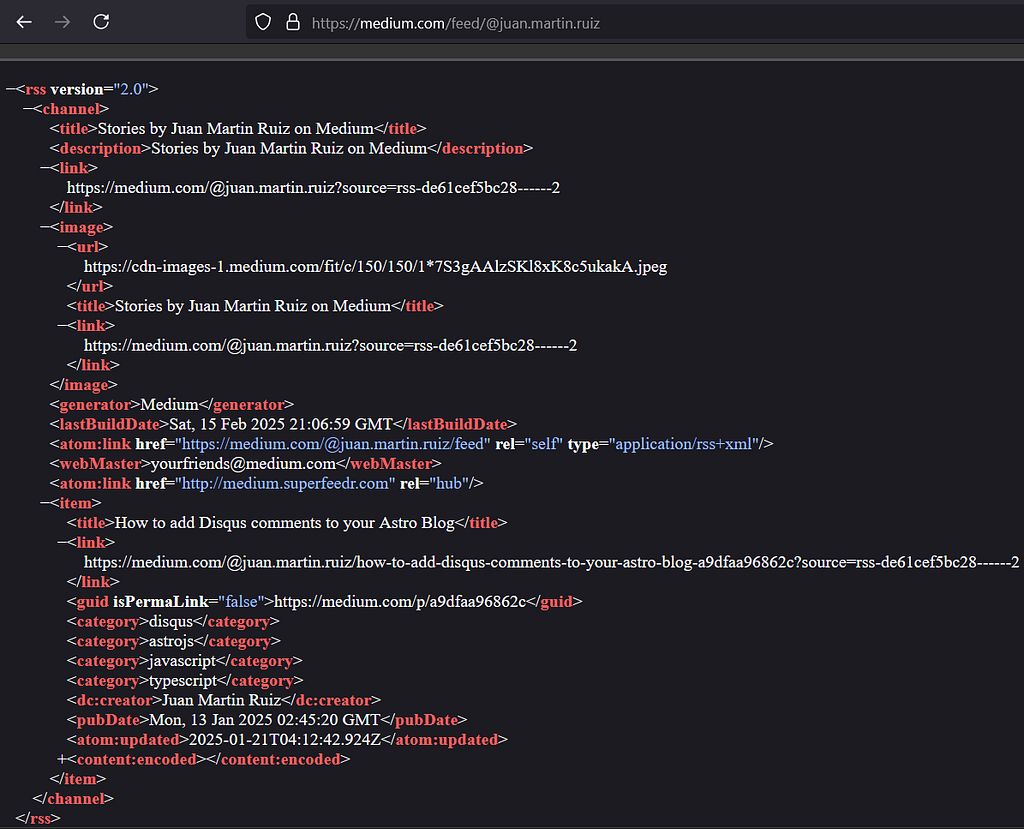
You can use Astro’s Content Layer API to embed Medium posts on your site. Medium exposes its content through its RSS feed, and it no longer supports API integrations as of this writing. While there is no specific loader for Medium, you can create a custom one that consumes the RSS and stores the posts in a content collection in Astro.
When creating the project with the Astro blog template, it generates the collection for the Blog in src/content.config.ts, it is a collection of posts.
// src\content.config.ts

import { glob } from 'astro/loaders';
import { defineCollection, z } from 'astro:content';

const blog = defineCollection({
    // Load Markdown and MDX files in the `src/content/blog/` directory.
    loader: glob({ base: './src/content/blog', pattern: '**/*.{md,mdx}' }),
    // Type-check frontmatter using a schema
    schema: z.object({
        title: z.string(),
        description: z.string(),
        // Transform string to Date object
        pubDate: z.coerce.date(),
        updatedDate: z.coerce.date().optional(),
        heroImage: z.string().optional(),
    }),
});

export const collections = { blog };
Astro comes with the ZOD library as a built-in stack that we can use to define and validate a schema. The cool thing is that it serves as a data structure for our local file system. Here we are not defining any object for a table in a server database, which allows us to work with strongly typed data to better organize our markdown files and be able to query them. We are also going to use it to define the schema for Medium posts.
In src/content.config.ts, we define a collection for Medium posts using the Content Layer API.
But first we will need to install an RSS parsing library.
# https://www.npmjs.com/package/rss-parser
npm i rss-parser
// src\content.config.ts

import { glob } from 'astro/loaders';
import { defineCollection, z } from 'astro:content';
import Parser from 'rss-parser';

const blog = defineCollection({
    // Load Markdown and MDX files in the `src/content/blog/` directory.
    loader: glob({ base: './src/content/blog', pattern: '**/*.{md,mdx}' }),
    // Type-check frontmatter using a schema
    schema: z.object({
        title: z.string(),
        description: z.string(),
        // Transform string to Date object
        pubDate: z.coerce.date(),
        updatedDate: z.coerce.date().optional(),
        heroImage: z.string().optional(),
    }),
});

const medium = defineCollection({
    loader: async () => {
        const parser = new Parser();
        const feed = await parser.parseURL('https://medium.com/feed/@juan.martin.ruiz');

        return feed.items.map((item) => ({
            id: item.guid || item.link || '',
            title: item.title,
            summary: item.contentSnippet || item.content || '',
            date: new Date(item?.pubDate || ''),
            tags: item.categories || [],
            websiteUrl: item.link,

        }));
    },
    schema: z.object({
        title: z.string(),
        summary: z.string().optional(),
        date: z.coerce.date(),
        tags: z.array(z.string()),
        websiteUrl: z.string(),
    }),
});

export const collections = { blog, medium };
Note the detail in the definition of the fields in the schema, the fields have to match the blog collection of the Astro template and then add those that are specific to the Medium posts collection. They have to have the same name as the data type, so that we can join the markdown posts from the Astro template with those from Medium in the Blog section.
4. Use posts on your blog index page
You can now access Medium posts in your Astro components or pages using getCollection.
src\pages\blog\index.astro
Originally:
// src\pages\blog\index.astro
---
import BaseHead from '../../components/BaseHead.astro';
import Header from '../../components/Header.astro';
import Footer from '../../components/Footer.astro';
import { SITE_TITLE, SITE_DESCRIPTION } from '../../consts';
import { getCollection } from 'astro:content';
import FormattedDate from '../../components/FormattedDate.astro';

const posts = (await getCollection('blog')).sort(
    (a, b) => b.data.pubDate.valueOf() - a.data.pubDate.valueOf(),
);
---

<main>
      <section>
          <ul>
                 {
                     <!-- Post iteration -->
                     posts.map((post) => (
                         <li>
                              <a href={`/blog/${post.id}/`}>
                                  <img width={720} height={360} src={post.data.heroImage} alt="" />
                                   <h4 class="title">{post.data.title}</h4>
                                   <p class="date">
                                       <FormattedDate date={post.data.pubDate} />
                                   </p>
                               </a>
                          </li>
                      ))
                  }
            </ul>
       </section>
</main>
5. Merge Astro and Medium posts into blog index page
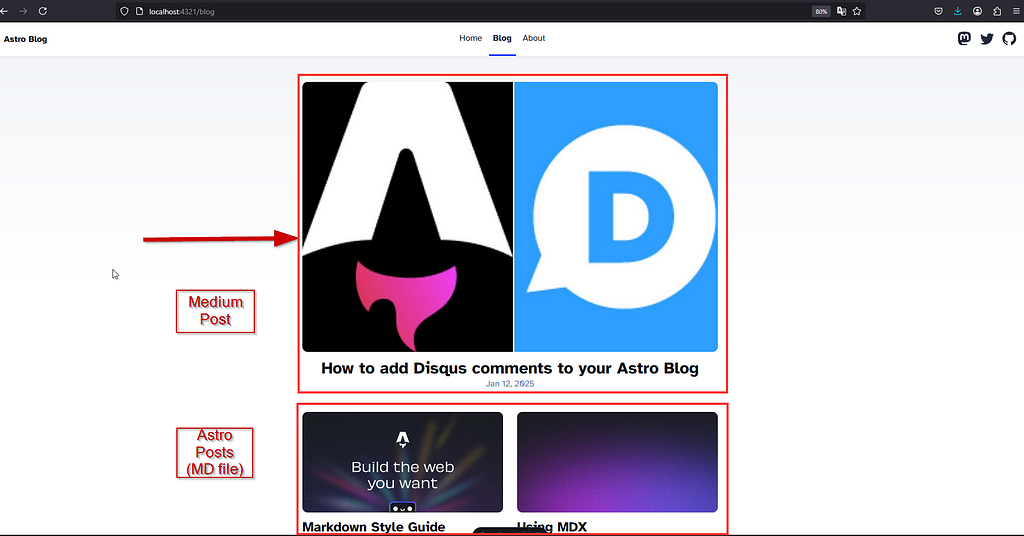
We’ve merged the Astro blog and Medium blog collections and re-ordered the posts to ensure the chronological order is correct.
src\pages\blog\index.astro
// Frontmatter of src\pages\blog\index.astro
---
import BaseHead from '../../components/BaseHead.astro';
import Header from '../../components/Header.astro';
import Footer from '../../components/Footer.astro';
import { SITE_TITLE, SITE_DESCRIPTION } from '../../consts';
import { getCollection } from 'astro:content';
import FormattedDate from '../../components/FormattedDate.astro';

const astroPosts = (await getCollection('blog')).sort(
    (a, b) => b.data.pubDate.valueOf() - a.data.pubDate.valueOf(),
);

const medium = (await getCollection("medium")).sort(
    (a, b) => b.data.pubDate.valueOf() - a.data.pubDate.valueOf(),
);

const posts = [...astroPosts, ...medium]
  .sort((a, b) => b.data.pubDate.valueOf() - a.data.pubDate.valueOf());

---
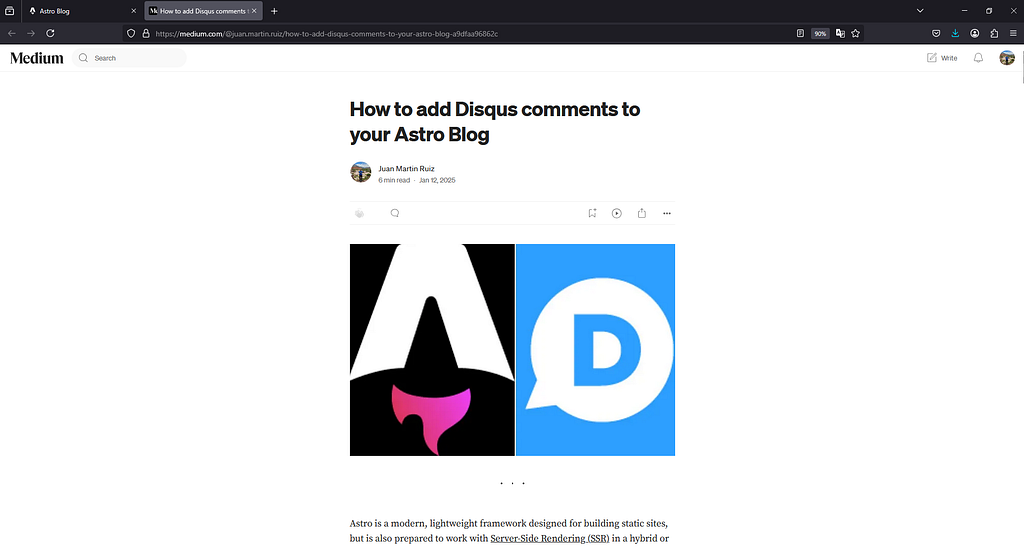
Now we will iterate through the posts with an inline conditional that, if it is a Medium collection, redirects to the article URL on the site https://medium.com/{username}/{slug-article}
---
import BaseHead from '../../components/BaseHead.astro';
import Header from '../../components/Header.astro';
import Footer from '../../components/Footer.astro';
import { SITE_TITLE, SITE_DESCRIPTION } from '../../consts';
import { getCollection } from 'astro:content';
import FormattedDate from '../../components/FormattedDate.astro';

const astroPosts = (await getCollection('blog')).sort(
 (a, b) => b.data.pubDate.valueOf() - a.data.pubDate.valueOf(),
);

const medium = (await getCollection('medium'))
  .sort((a, b) => b.data.pubDate.valueOf() - a.data.pubDate.valueOf(),);

const posts = [...astroPosts, ...medium]
  .sort((a, b) => b.data.pubDate.valueOf() - a.data.pubDate.valueOf(),);
---

<!doctype html>
<html lang="en">
 <head>
  <BaseHead title={SITE_TITLE} description={SITE_DESCRIPTION} />
 </head>
 <body>
  <Header />
  <main>
   <section>
    <ul>
     {
      <!-- Post iteration (Astro and Medium) -->
      posts.map((post) => (
       <li>
        <a
         href={post.collection === "medium" ? post.data.websiteUrl : `/blog/${post.id}/`}
         target={post.collection === "medium" ? "_blank" : "_self"}
        >
         <img width={720} height={360} src={post.data.heroImage} alt="" />
         <h4 class="title">{post.data.title}</h4>
         <p class="date">
          <FormattedDate date={post.data.pubDate} />
         </p>
        </a>
       </li>
      ))
     }
    </ul>
   </section>
  </main>
  <Footer />
 </body>
</html>
6. Use Medium posts on the blog slug page (optional)
Please note: Stories behind the Medium paywall are not available as full stories in any RSS feeds
In case you want to include the content of the Medium Post within Astro we must modify src/content.config.ts, src/pages/blog/index.astro and src/pages/blog/[…slug].astro
First in src/content.config.ts we must sanitize the SLUG field of the feeds and add the content field to the Medium post collection.
to
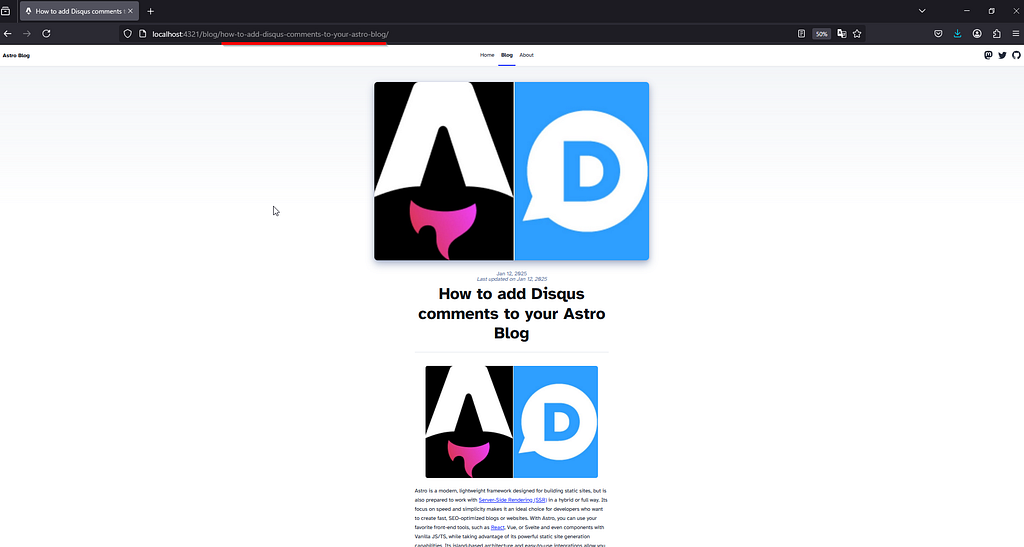
http://localhost:4321/blog/how-to-add-disqus-comments-to-your-astro-blog/
// Get the article URL or use an empty string if not available
const idSource = item.link || item.guid || '';

// URL object for easier manipulation
const urlObj = new URL(idSource);

// Split the pathname into segments using '/'
const pathSegments = urlObj.pathname.split('/');

// Get the last segment (the article title)
const lastSegment = pathSegments.pop() || '';

// Remove the trailing hexadecimal identifier (e.g., "-a9dfaa96862c")
const slug = lastSegment.replace(/-[a-f0-9]+$/i, '');

// Output the cleaned slug
console.log(slug); // "how-to-add-disqus-comments-to-your-astro-blog"
// src\content.config.ts

const medium = defineCollection({
    loader: async () => {
        const parser = new Parser();
        const feed = await parser.parseURL('https://medium.com/feed/@juan.martin.ruiz');

        return feed.items.map((item) =>{
            const idSource = item.link || '';
            const url = new URL(idSource);
            const pathSegments = url.pathname.split('/');
            const lastSegment = pathSegments.pop() || '';
            const slug = lastSegment.replace(/-[a-f0-9]+$/i, '');
            return  {
                id: slug,
                title: item.title,
                description: item.contentSnippet || item.content || '',
                pubDate: new Date(item?.pubDate || ''),
                updatedDate: new Date(item?.isoDate || ''),
                tags: item.categories || [],
                websiteUrl: item.link,
                content: item['content:encoded'] || item.content || '',
                heroImage: (item['content:encoded'] || '').match(/<img[^>]*src="([^"]*)"/)?.[1] || null, // Extrae la URL de la imagen del contenido
            }
        });
    },
    schema: z.object({
        title: z.string(),
        description: z.string(),
        pubDate: z.coerce.date(),
        updatedDate: z.coerce.date().optional(),
        tags: z.array(z.string()),
        websiteUrl: z.string(),
        content: z.string().optional(),
        heroImage: z.string().optional(),
    }),
});
Show Medium post content within Astro
We need to modify the src\pages\blog\[…slug].astro to show the particular post.
Since our site is in static mode by default, we will use getStaticPaths() to generate the paths statically at compile time.
// src\pages\blog\[...slug].astro
---
// Frontmatter

import { type CollectionEntry, getCollection } from 'astro:content';
import BlogPost from '../../layouts/BlogPost.astro';
import { render } from 'astro:content';

export async function getStaticPaths() {
    const blogPosts = await getCollection('blog');
    const mediumPosts = await getCollection('medium') || [];
    const posts = [...blogPosts, ...mediumPosts];

    const paths = posts.map((post) => ({
        params: { slug: post.id  },
        props: post,
    }));

    return paths;
}

---
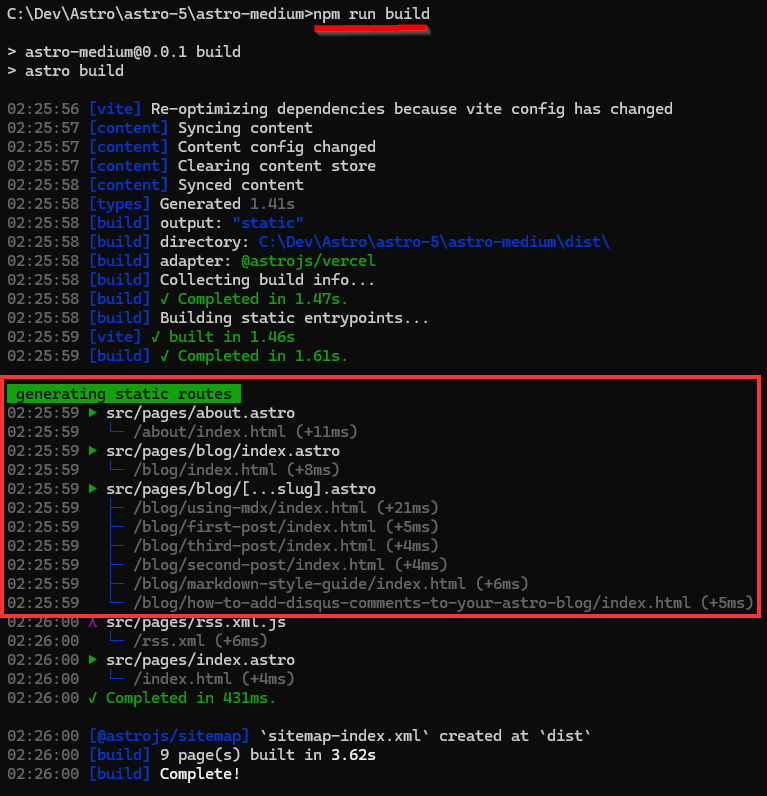
We use the render() function that comes with Astro to compile the blog posts and <Content /> is like a render component itself, there would be no need to create a specialized component to render all the markdown content. In the case of rendering the content of Medium posts we will use the `<Fragment>` component. <Fragment /> is a built-in Astro component which allows you to avoid an unnecessary wrapper element. This can be especially useful when fetching HTML from a CMS (e.g. Hashnode or WordPress).
// src\pages\blog\[...slug].astro
---
// Frontmatter

import { type CollectionEntry, getCollection } from 'astro:content';
import BlogPost from '../../layouts/BlogPost.astro';
import { render } from 'astro:content';

export async function getStaticPaths() {
    const blogPosts = await getCollection('blog');
    const mediumPosts = await getCollection('medium') || [];
    const posts = [...blogPosts, ...mediumPosts];

    const paths = posts.map((post) => ({
        params: { slug: post.id  },
        props: post,
    }));

    console.log('Generated paths:', paths);
    return paths;
}

type Props = CollectionEntry<'blog'> | CollectionEntry<'medium'>;

const post = Astro.props;

const isMedium = post.collection === "medium";

const { Content } = await render(post);
---

<BlogPost {...post.data}>
    <!-- renders local Markdown content. -->
    <Content />
    <!-- renders the Medium post content directly as HTML. -->
    <Fragment set:html={isMedium && post.data.content } />
    <!-- renders a link to the Medium post at the end of the content -->
    <a
        href={isMedium && post.data.websiteUrl}
        target="_blank"
    >
        {isMedium && post.data.websiteUrl}
    </a>
</BlogPost>
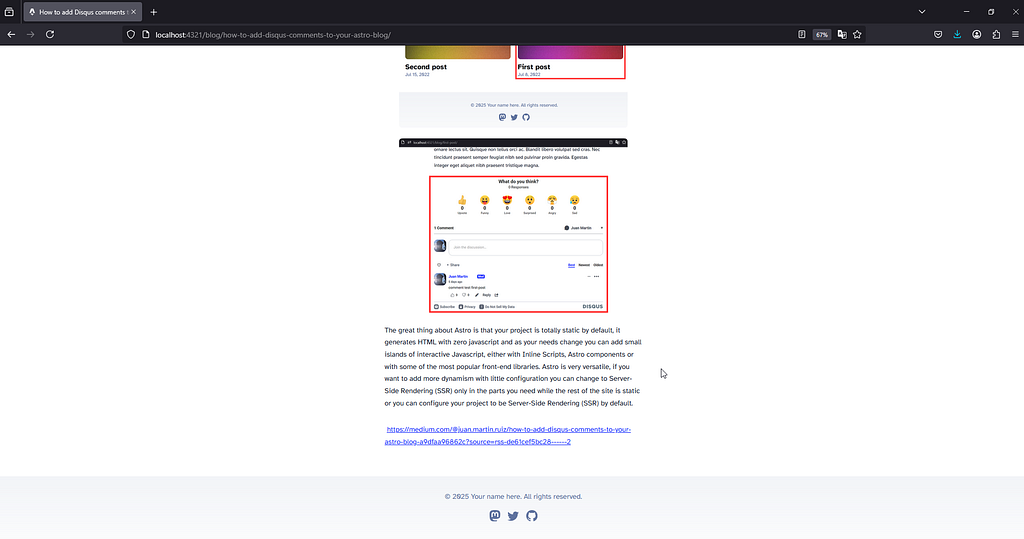
Let’s run
npm run dev
7. Update new Medium post on static site with Deploy Hook
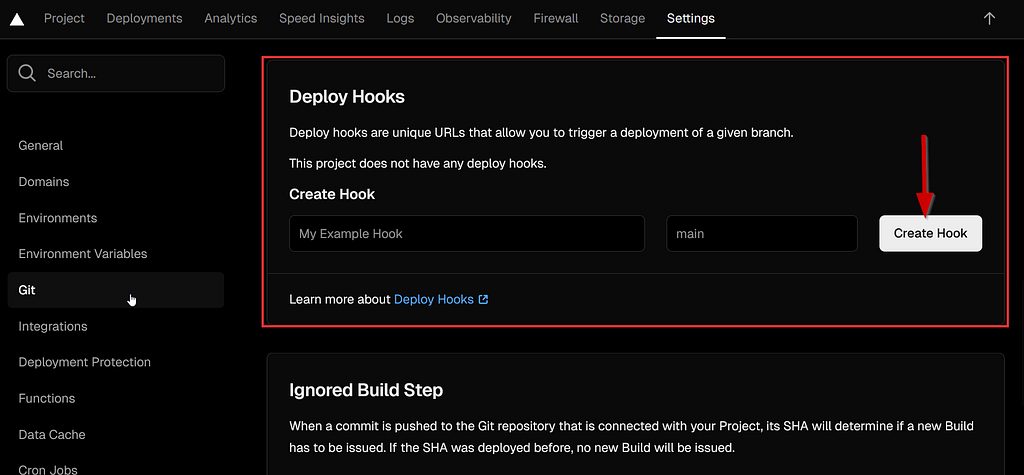
Please note that if you create a new post from Medium you have to recompile the project with npm run build from the deployed platform (Netlify, Vercel, Render, Cloudflare) since this web project is completely static by default. In order not to sacrifice the benefit of a static site, you can apply Deploy Hooks on any Hosting platform. We will do this with Vercel.